Table of Contents
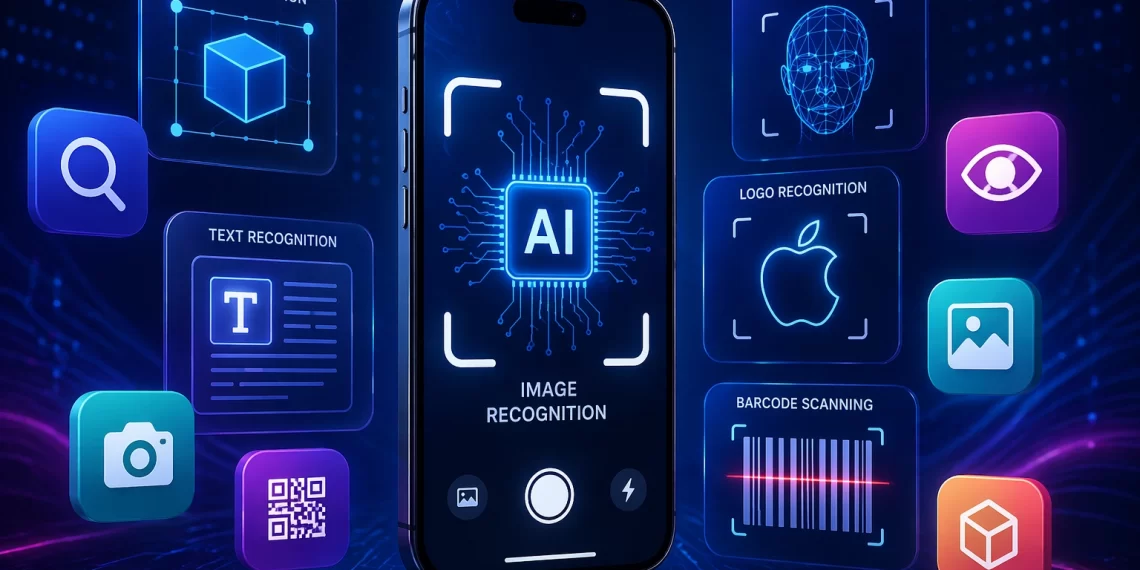
Whether you’re trying to identify a plant during a hike, scan a product before purchasing, or develop a smarter workflow for your business, image recognition apps have become essential tools in 2026. The global image recognition market was valued at around $68 billion in 2026 and is projected to exceed $212 billion by 2034, with a com_pound annual growth rate of over 15%, a clear sign that visual AI has shifted from a niche technology to a mainstream one. Powered by advanced computer vision and machine learning, these apps can quickly analyze a photo and deliver detailed, accurate results within seconds.
In this guide, we analyze the 19 top options available, covering everything from free mobile tools to enterprise-level solutions. If you’ve been looking for the best image recognition app for your needs, you’re in the right place.
What Is an Image Recognition App, and Why Does It Matter?
An image recognition app uses artificial intelligence to identify and classify visual content within photos or videos. Instead of requiring users to type descriptions, the app handles the analysis by examining shapes, colors, textures, and context to figure out what it sees. Today’s solutions are powered by deep neural networks trained on billions of images, making them accurate enough to distinguish plant species, read text from blurry photos, or detect product flaws on a manufacturing line. The need for both consumer-friendly tools and advanced image processing applications across various industries has never been higher.
The 19 Best Image Recognition Apps You Should Know in 2026
If you’re looking to leverage visual AI, these are the top tools leading the way in 2026. Below, we break down 19 of the best image recognition apps for consumer, developer, and business use cases.
1. Google Lens
Google Lens remains the top choice for daily visual searches. Available on Android and iOS, it’s one of the most popular apps like Google Lens for Android and the original. It can identify plants, animals, food, landmarks, text, and products with impressive accuracy. Just point your camera and get immediate results, shopping links, or Wikipedia entries.
Best for: Everyday users, students, and shoppers.
2. Amazon Rekognition
Amazon Rekognition is a cloud-based vision API designed for developers and businesses. It provides facial recognition, object and scene detection, content moderation, and text extraction. If you’re seeking a scalable image processing application for your workflows, Rekognition is among the most capable platforms available.
Best for: Developers, enterprise teams, and media companies.
3. Microsoft Azure Computer Vision
Azure’s Computer Vision service provides powerful tools for OCR, object detection, and image analysis through API. It seamlessly integrates with Microsoft’s ecosystem, making it ideal for businesses already using Azure. It is a leading choice as a comprehensive AI image recognition app for enterprise deployments.
Best for: Enterprises, developers building on Microsoft Azure.
4. Apple Visual Look Up
Built directly into iOS, Apple’s Visual Look Up feature allows iPhone users to identify plants, animals, art, and landmarks right from their Photos app. It requires no separate download and works offline on supported devices, making it one of the most convenient image recognition apps for Apple users.
Best for: iPhone and iPad users, casual identification tasks.
5. iNaturalist
iNaturalist is designed specifically for nature enthusiasts. Take a photo of a plant, bird, insect, or fungus, and the app employs machine learning supported by a global community of naturalists to identify the species. It is one of the most trusted apps for identifying objects from photos in the natural world, combining AI precision with community verification.
Best for: Hikers, gardeners, biologists, and nature enthusiasts.
6. PictureThis
PictureThis is the go-to app to find pictures of plant species and get instant identification results. It recognizes over 1 million plant species and provides care tips, health diagnostics, and seasonal advice. For home gardeners and horticulturists, it’s an indispensable companion.
Best for: Plant parents, gardeners, and farmers.
7. CamFind
CamFind is one of the original photo search apps that lets users point their camera at any object and get detailed information back. It works across a wide range of object categories and can search the web for visually similar products, making it useful for shoppers and researchers alike.
Best for: Shopping, general object research.
8. Seek by iNaturalist
Seek is iNaturalist’s more accessible sibling, designed for families and beginners. It identifies species in real time using your camera without requiring you to submit observations. It’s a great starter app that identifies objects in nature without the social layer of the parent platform.
Best for: Families, children, and casual nature explorers.
9. Clarifai
Clarifai is a developer-first AI platform offering customizable image and video recognition models. Businesses can train their own models using their own data, making it ideal for niche use cases in retail, healthcare, or manufacturing. It pairs well with broader ML solutions strategies for companies that need precision at scale.
Best for: Developers, data scientists, and enterprise AI teams.
10. Imagga
Imagga specializes in automated image tagging, categorization, and color extraction. It’s widely used by media platforms, e-commerce sites, and content management systems that need to automatically organize large image libraries. The API is simple and well-documented, making it an easy entry point for teams to build image processing apps without a steep learning curve.
Best for: Content platforms, e-commerce, and image libraries.
11. Roboflow
Roboflow is a computer vision platform that enables developers to quickly build and deploy image recognition apps, even without extensive ML knowledge. It provides tools for managing datasets, training models, and deploying them. For teams transitioning from prototypes to production, Roboflow simplifies the entire process.
Best for: ML engineers, product teams, startups.
12. TensorFlow Lite
TensorFlow Lite brings on-device machine learning to mobile and edge devices. Developers can deploy AI image recognition app models locally with no cloud connection required, enabling faster inference and improved privacy. It’s the foundation for many consumer-facing recognition apps.
Best for: Mobile develope_rs, IoT applications, privacy-focused products.
13. Shopify’s AI Product Recognition
Shopify has incorporated visual search into its platform, enabling shoppers to take a photo of a product and locate it in a store’s catalog. This type of photo search app feature is becoming a standard expectation in Retail App Development, helping consumers find exactly what they want without typing anything.
Best for: E-commerce retailers, Shopify merchants.
14. Snapchat’s Visual Search
Snapchat’s built-in visual search allows users to scan products or barcodes and receive shopping results directly through Amazon. It’s a smooth experience integrated into a platform used by billions, exemplifying how image processing apps are becoming part of everyday social interaction.
Best for: Social media users, casual shoppers.
6. Can image recognition apps be customized for specific business needs?15. Pinterest Lens
Pinterest Lens allows users to search for visually similar content using their camera. It’s deeply integrated with Pinterest’s discovery engine, making it one of the best image recognizer apps for finding home decor inspiration, fashion ideas, and recipe ingredients. It bridges the gap between the physical world and online inspiration boards.
Best for: Creatives, interior designers, and fashion enthusiasts.
16. Google Cloud Vision API
For developers who need raw power, the Google Cloud Vision API offers best-in-class recognition across objects, faces, logos, landmarks, and text. It supports high-volume requests and integrates easily into existing systems, making it a backbone choice for teams working with App Development Services at scale.
Best for: Developers, large-scale applications, and enterprises.
17. Vuforia
Vuforia is a leading augmented reality platform that uses image recognition to anchor digital content to real-world objects and surfaces. It’s heavily used in manufacturing, training, and AR & VR App Development for immersive experiences. Brands use it to create interactive packaging, product manuals, and in-store activations.
Best for: AR developers, manufacturers, and enterprise training.
18. Bing Visual Search
Microsoft’s Bing Visual Search allows users to upload or paste an image to retrieve web search results based on its visual content. It can recognize products, landmarks, plants, and more, while also showing shopping links alongside informational results. It’s a strong alternative for those who prefer to stay within Microsoft’s ecosystem.
Best for: Microsoft users, researchers, and online shoppers.
19. LogoGrab(Visua)
LogoGrab, now rebranded as Visua, specializes in brand and logo detection within images and videos. It’s used by social media monitoring platforms, sports broadcasters, and marketers to track brand visibility at scale. For companies needing a precise, branded app that identifies objects across millions of images, it’s one of the most specialized tools on this list.
Best for: Brand managers, marketers, sports and media companies.
How to Choose the Right Image Recognition App for Your Needs?
With so many options, it is important to narrow down the choices by thinking about the following considerations:
Consumer apps like Google Lens, PictureThis, and Apple Visual Look Up prioritize ease of use. Developer platforms such as AWS Rekognition, Clarifai, and Google Cloud Vision API provide programmable power. There are specialized tools for plants, products, logos, AR, and general recognition tasks. Match the app to your specific use case. On-device solutions like TensorFlow Lite are better for privacy and offline use. Cloud solutions are more scalable for high-volume workloads. Many apps offer free tiers for personal use, but enterprise deployments require paid plans. Carefully evaluate cost per API call for high-volume needs.
Image processing applications for business use should also be evaluated for their integration capabilities. Can the tool connect to your existing tech stack? Does it support the languages and frameworks your team already uses?
The Future of Image Recognition Technology
The field of image recognition technology is evolving rapidly. In 2026, we see a convergence of vision AI with large language models, enabling apps that don’t just identify what’s in a photo but also explain it, answer questions about it, and take actions based on it. Real-time video analysis, edge AI, and multimodal search are all driving the next wave of innovation.
Businesses that invest in Artificial Intelligence Development Services today, with vision AI at the core, are positioning themselves well for a future where the camera becomes the primary interface. Retailers, logistics companies, healthcare providers, and media platforms all stand to benefit as these tools become more accurate, affordable, and accessible.
As smartphone hardware improves and model compression techniques advance, the gap between cloud-based and on-device accuracy continues to narrow, allowing users to receive faster, more private results without sacrificing quality.
Final Thoughts
From snapping a photo of a mystery plant on your morning walk to building an enterprise-grade computer vision pipeline, the apps on this list cover the entire range of what image recognition apps can do in 2026. The technology has advanced to the point where there’s a purpose-built solution for nearly every use case.
If you’re unsure where to start, Google Lens or Apple Visual Look Up offer easy entry points for personal use. For business applications, platforms like AWS Rekognition or Clarifai provide the flexibility and scale you need. And if you’re building a product that depends on visual intelligence, integrating the right image recognizer app layer could be one of the most impactful decisions you make this year.
Frequently Asked Questions
1. How accurate are image recognition apps in 2026?
Most modern apps achieve 90–98% accuracy under good conditions, but performance can vary based on lighting, image quality, and how well the model was trained for that specific use case.
2. Can image recognition apps work without an internet connection?
Yes, some apps use on-device AI models to function offline, but they may have limited capabilities compared to cloud-based solutions that access larger datasets and more powerful processing.
3. Are image recognition apps safe to use with personal photos?
It depends on the app. Cloud-based tools may store or process images externally, while on-device solutions offer better privacy by keeping data local to your device.
4. What industries benefit the most from image recognition technology?
Retail, healthcare, manufacturing, agriculture, and security see major benefits, using image recognition for automation, quality control, diagnostics, inventory tracking, and enhanced customer experiences.
5. How much does it cost to use image recognition APIs?
Costs vary widely, from free tiers for low usage to enterprise pricing based on API calls, storage, and processing volume, making scalability an important budgeting consideration.
6. Can image recognition apps be customized for specific business needs?
Yes, many platforms allow custom model training using proprietary datasets, enabling businesses to recognize niche objects, improve accuracy, and tailor solutions to unique workflows and environments.