Table of Contents
Flutter has quickly grown in demand over the years. In fact, it is the most preferred framework in cross-platform mobile app development, with 46% of global developers using it. Flutter has a fast-growing community and offers several benefits to large-scale businesses. You should consider investing in this framework if you want a fast, high-performing app. Cross-platform frameworks like Flutter can enable your app to run on multiple devices and platforms.
However, not everyone has the same reasons to choose Flutter app development over others. Some may go for cost reduction, some might prefer a unified single code, or some might choose it for MVP development. Since such is the scenario, there are still decision-makers who find themselves in doubt.
In that case, here’s a Flutter app development guide to help them make better decisions and move forward with building their apps.
What Is Flutter?
Flutter is Google’s free, open-source software development kit for building cross-platform apps. It helps developers build visually appealing and responsive applications. There are over 450,000 Flutter apps on the Google Play Store and Apple’s App Store combined at present.
It allows developers to create applications for Android, iOS, web, desktop, and even embedded devices while maintaining a consistent user experience across platforms.
Unlike traditional cross-platform frameworks that rely heavily on native UI components, Flutter uses its own rendering engine to draw every pixel on the screen. This gives developers greater control over design, animations, and performance while ensuring consistency across devices and operating systems.
Flutter is a feature-packed framework. These include fast performance, advanced UI, routing mechanisms, federated plugin support, etc. This framework is therefore the choice of startups and business owners.
Flutter is also a flexible cross-platform framework that controls every pixel for creating a customized mobile app design that fits on any mobile screen.
How Does Flutter Work in Terms of App Development?
Flutter’s architecture is designed to prioritize speed, flexibility, and visual consistency. It consists of three primary layers:
1. Framework Layer
This is the layer developers interact with the most. It includes pre-built widgets, UI components, navigation systems, animation libraries, and state management support. Flutter’s widget-based approach allows developers to create highly customizable interfaces with minimal effort.
2. Engine Layer
The engine layer is written primarily in C++ and powers Flutter’s rendering capabilities. It handles graphics rendering using the Skia engine, text layout, file, and network operations. Because Flutter renders UI elements directly instead of relying on native components, applications often feel smoother and more visually consistent.
3. Embedder Layer
This layer connects Flutter applications to platform-specific operating systems like Android, iOS, Windows, macOS, and Linux. It enables access to native device features such as the camera, GPS, Bluetooth, sensors, and notifications.
What is Flutter App Development?
Flutter app development is the process of building cross-platform applications using Flutter, Google’s open-source UI software development kit (SDK). It enables developers to create applications for Android, iOS, web, desktop, and embedded devices using a single codebase, reducing both development time and maintenance effort.
Unlike traditional app development approaches that require separate codebases for different platforms, Flutter allows developers to write code once and deploy it across multiple operating systems while maintaining a consistent user experience.
Flutter uses the Dart programming language and its own high-performance rendering engine to create visually rich, responsive, and near-native applications. This architecture gives developers greater control over UI customization, animations, and overall app performance.
What are the Benefits of Flutter App Development?
Over the time period, it is seen that other frameworks for app development have been taking immense time, multiple teams, and monetary investment. That being the case, businesses have taken a faster route that turns out to be efficient in time and requires less investment.
To understand the choice better, let’s take a look at the benefits of Flutter app development.
 1. Single Code, Runs Everywhere
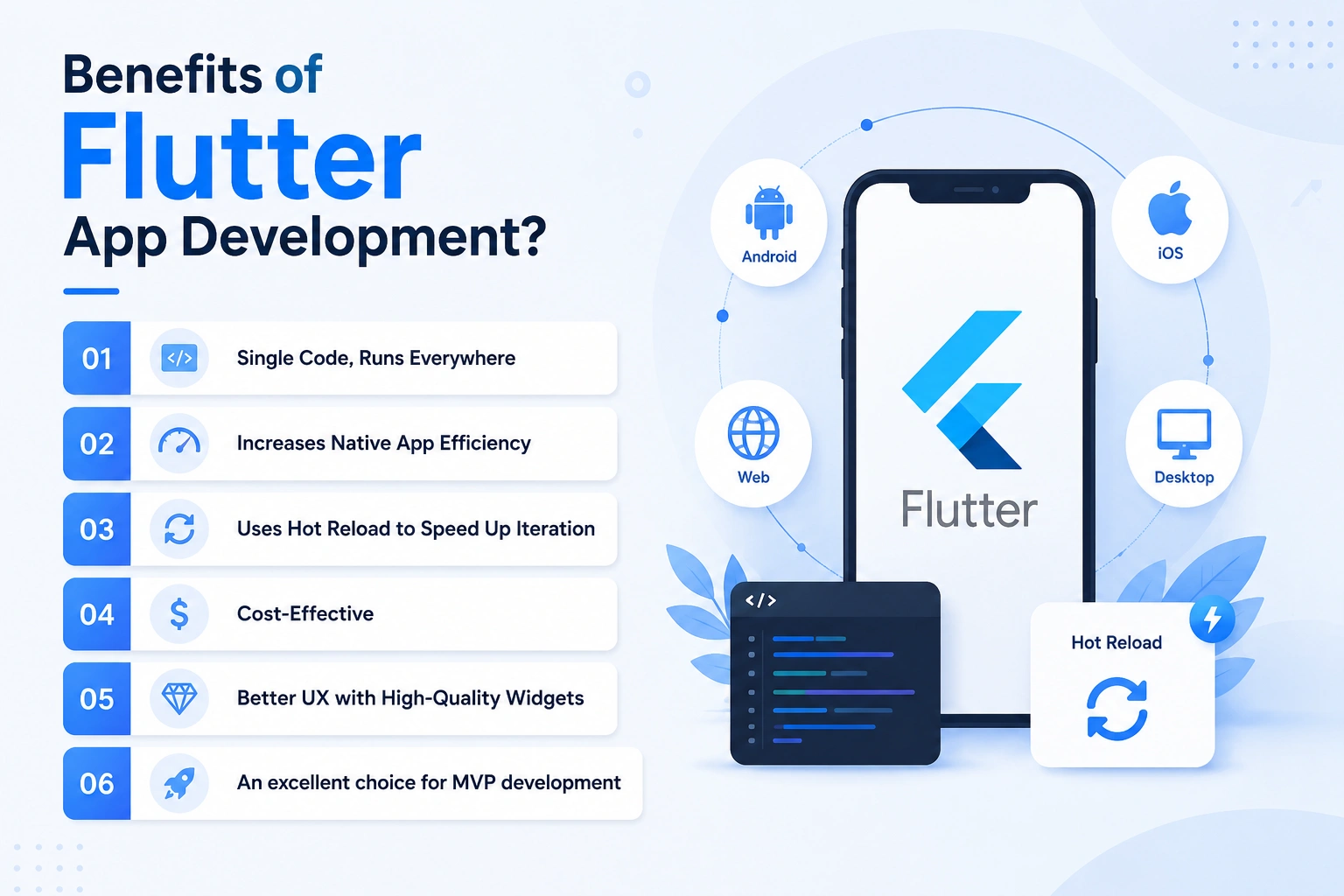
Among the many reasons, this is the primary aspect that has been changing the minds of businesses. With Flutter app development, you can build a single code that takes less time when compared to individual iOS and Android apps, and run it everywhere. For startups and MVP-focused products, this faster development cycle can be a major competitive advantage, which allows launching products faster, simplifies updates and bug fixes, and maintains consistency across platforms.
2. Increases Native App Efficiency
The single codebase is the feature that makes Flutter the preferred choice of many business owners. Other than this, Flutter developers can easily integrate platform-specific functionalities and APIs into their apps. This flexibility allows Flutter apps to integrate native functionalities while maintaining cross-platform compatibility.
3. Uses Hot Reload to Speed Up Iteration
The Flutter app framework is right for business owners who want fast app development and updates. Flutter’s Hot Reload feature also speeds up app development, as developers can change the code and see the changes immediately without hampering the app’s current state. Bug fixing becomes a breeze, as does workflow management.
4. Cost-Effective
Flutter is an open-source framework that is scalable, free to use, and publicly accessible. This framework is extremely efficient and offers several pre-built templates. Put simply, Flutter significantly impacts app development costs because of free access to multiple third-party packages. These boost developer efficiencies and reduce development costs.
5. Better UX with High-Quality Widgets
App development with Flutter is also gaining market popularity because of seamless UI/UX features and robust design elements. It uses ready-made widgets for developing mobile applications using a uniform object model.
According to Google and Apple’s Material Design guidelines, these are carefully designed, pre-built widgets. As a result, the Flutter widgets library helps create fantastic UI and personalized designs without affecting app performance.
6. An excellent choice for MVP development
Because of its speed, scalability, and cost efficiency, Flutter is widely used for MVP development. It is excellent for MVP development because of its scalability as well.
Building an MVP with Flutter helps introduce the basic app vision. It encourages feedback and enables market research on the offered features. MVP app development using Flutter is also useful because it enables direct integration with Firebase and supports several IDEs.
Flutter vs React Native vs Native Development
Choosing the right app development framework is one of the most important decisions in any mobile app project. While Flutter has become a dominant cross-platform framework, businesses still frequently compare it with React Native and traditional native development before making a decision.
Each approach has its own strengths, limitations, and ideal use cases depending on factors such as performance requirements, development timelines, scalability, and budget.
Flutter
Flutter is Google’s cross-platform UI framework that allows developers to build applications for multiple platforms using a single Dart-based codebase. It uses its own rendering engine to deliver consistent UI and near-native performance.
React Native
React Native is a JavaScript-based framework developed by Meta. The language enables cross-platform React Native app development using reusable components and native bridges. However, performance can vary depending on application complexity.
Native Development
Native development involves building separate applications specifically for Android and iOS using platform-specific languages such as:
Native apps generally provide the highest level of platform optimization and hardware integration but require significantly more development effort and cost.
For an in-depth understanding of this section, you can read our Flutter VS React Native guide.
Step-By-Step Flutter App Development Process
Understanding the Flutter app development roadmap and how the approach molds will help you judge whether you’re selecting the right Flutter app developer.
1. Define Your App
Your app’s success depends on the features you’re adding and how they work together to deliver an excellent user experience (UX). Thus, defining the app’s vision and objectives is imperative.
Once you determine your app’s actual goals, vision, and purpose, the app development agency can incorporate features accordingly.
Tick all the following questions once you’re done defining them.
- What are your expectations of the Flutter app?
- Which Flutter app development tools will you use to develop a high-performing app?
- What budget have you set for app development?
2. Conduct Market Research
After determining your app idea, move ahead with market research to get insights into ongoing market trends, your targeted audience’s preferences, and competitors.
Conducting market research helps you identify your competitors’ weaknesses so that you can address them in your app with a well-planned strategy.
Aim to find the following answers while researching the market:
- Is your app really needed?
- Who is your target audience?
- What’s the competition like? How can you outperform them?
- Do you have a marketing and monetization plan for your app?
3. Work on UI/UX Design
Wireframing or creating conceptual layouts of the app is the next step in the Flutter app development process. The team begins by creating the app structure and flow on a whiteboard or paper. These are modified and finalized before moving on to the User Interface and User Experience design.
The UI/UX design provides developers with the blueprint and visual direction regarding the app’s look, feel, and flow.
4. Start the App Development Process
You can begin the app development process by picking a suitable platform that meets your business requirements and expectations. This is when developers add the features decided according to your intended users’ needs.
Three elements are essential to development: the front end, API, and back end.
- The front end includes all the visual and interactive elements users engage with inside the application. It’s the side users interact with and is hence called the client side.
- Application programming interfaces (APIs) link the application and the back end to the server.
- The back end collects and stores all data to ensure smooth operation. It communicates with the server, which is why it is known as the server-side.
5. Test and Debug
You are one step closer to releasing your app, but it must still be thoroughly tested for bugs. The quality assurance (QA) team will be responsible for this and, in part, for delivering a smooth, error-free user experience. Flutter app testing assures reliability, scalability, security, and usability.
There are 3 major testing processes available in Flutter app development:
- Unit testing: Code accuracy is tested in unit testing without returning to the actual environment.
- Widget testing: This form of testing ensures the widgets are created correctly.
- Integration testing: Integration testing is a mixture of unit testing, widget testing, and the application’s outer components.
6. Deploy the App on App Stores
Now that your app is ready, you can submit it. The deployment of a Flutter app involves two main components. The first step is deploying your web server (API) into a scalable production environment. The app must then be configured to use the production environment.
Finally, the app must be tested to ensure it functions correctly in the production environment. Once sorted out, you can submit it to Google Play and Apple App Stores.
5 Flutter App Examples That Changed The Business Market
The apps mentioned below have gained popularity due to their implementation of Flutter technologies:
1. Google Ads
Google Ads is one of the best examples of Flutter mobile applications. As the term suggests, Google Ads is an online platform where business owners (like you) can market their services to bring in more customers. This application was built on Flutter, making it highly intuitive with a pleasing interface.
2. Xianyu by Alibaba
Alibaba’s cross-platform app, Xianyu, impresses users with its attractive UI/UX and quick and easy transactions. China’s largest second-hand marketplace allows customers to buy products globally. This app is quite popular in the eCommerce sector because of the engagement, and it turned to Flutter to provide consistent performance across platforms, outstanding graphics, and quick loading times.
3. Reflectly
Reflectly is a journal and mood tracker app that delivers customized motivation sessions and encourages users to use them. Initially, Reflectly was built on React Native, but now it has shifted to the Flutter app development framework. Its integration delivered a high-performance application with real-time updates and valuable insights, giving it the upper hand once again in the seemingly endless Flutter vs React Native debate.
4. Philips Hue
Philips Hue is a well-known smart home lighting system. Its two applications, Hue Bluetooth and Hue Sync, are built on Flutter. The app lets users control their Hue devices, like color changing, with a single tap on the screen. It also lets users synchronize lights with their media units.
5. The New York Times
Apps like The New York Times also leverage cross-platform mobile app development. As an example, the KenKen puzzle is available for mobile devices. The Flutter integration helps puzzles progress through different stages to be solved quickly.
What Is the Cost of Flutter App Development?
There is no definite answer because Flutter app development costs depend on various factors, and which mobile app development company you hire. Here is a list of what mainly affects them:
App features complexity
Feature complexity is one of the biggest factors influencing Flutter app development costs. Integrating basic app features requires minimal effort, which leads to minimal development expenses.
App categorization
The elements you focus on will impact the final Flutter mobile app development cost. The following are the app categorization points to consider:
- What is the purpose of your application?
- What features do you want in your app?
- How large will your app’s user base be?
App UI/UX design
UI design, app size, animations, graphics, and interactivity heavily influence App UI/UX design and Flutter app development costs. For instance, an app with several colorful images will cost more than one with fewer interactive elements and animations.
Functions and integrations
The standard integrations that impact the Flutter application development cost are – AR navigation, 3D modeling, AI chatbots, push notifications, social integrations, etc.
Support & Maintenance
This is the last, but certainly not the least, influential factor affecting your budget. Apps cannot be sustained without Flutter maintenance and support services, dramatically impacting mobile app development costs.
In short, your cost to build a Flutter app can range between $30,000 and $150,000. It could fall under one of these categories based on the factors above:
| Flutter App Complexity | Flutter App Development Cost |
| Simple App | $30,000–$50,000 |
| Medium-Complexity App | $55,000–$80,000 |
| High-Complexity App | $85,000–$150,000+ |
You may request our no-obligation app consulting services to know how much it’ll cost for Flutter app development services in USA.
Final Thoughts
If you want to make your app unique and stand out in a competitive market, you must ensure it has extraordinary features to attract a sizeable audience. While the Flutter mobile framework is ideal for business owners building user-friendly and highly interactive apps across multiple platforms, a reliable service provider is also imperative.
In that case, AppsChopper can be your trusted firm in building such cross-platform apps. We have years of experience in Flutter app development, as we have delivered 50+ modern apps to businesses, catering to their needs. Along with that, our 30+ experts have in-depth industry-specific knowledge and hands-on experience.
To have a scalable Flutter app built, contact our experts and get a consultation.
Frequently Asked Questions
1. How long does it take to develop a Flutter app?
A basic Flutter app can take 2–4 months, while complex or enterprise-level apps may require 6–12 months, depending on features, integrations, and design complexity.
2. Why choose Flutter for cross-platform app development?
Flutter enables developers to build apps for multiple platforms using a single codebase, reducing development time, costs, and maintenance effort while delivering near-native performance.
3. How do you maintain a Flutter app?
Flutter app maintenance includes bug fixes, performance optimization, security updates, feature enhancements, and compatibility updates for new OS versions.
4. Does Flutter support AI or IoT integrations?
Yes, Flutter supports AI and IoT integrations through APIs, cloud services, Bluetooth, MQTT, and third-party SDKs for smart and connected applications.
5. Is Flutter suitable for all types of apps?
Flutter is suitable for most business and cross-platform apps, but highly graphics-intensive games or hardware-heavy applications may benefit more from native development.