Table of Contents
People’s behavior toward mobile technology has evolved over time. In recent years, app development has gradually gained prominence alongside web development, though it has not completely replaced it.
Businesses that own a website are now considering investing in mobile app development to win a competitive advantage over others.
Mobile app technology has evolved from native to hybrid and now to Progressive Web App (PWA) development, offering a diverse range of solutions. Today, native, hybrid, and PWA approaches all remain relevant, each serving different business needs and use cases.
PWA technology has made its way into the web and mobile domains in no time. The best thing about PWAs is that they can work on both iOS and Android devices, saving money on developing different iOS and Android mobile apps.
This progressive web app guide will also cover the definition, key benefits, and how progressive web apps can help businesses scale efficiently across industries.
What Is a Progressive Web App?
Progressive web apps are website apps that look, feel, and act like a native mobile app in a lightweight version. These apps use technologies like HTML5, CSS3, and JavaScript. Deployed on the cloud server, PWAs combine both web apps and mobile apps’ functionality and features and can easily be accessed through the URLs.
In simpler words, PWAs are hybrids of regular websites and mobile apps. Along with PWAs offering several benefits over native apps, they also overcome the main disadvantages of using a browser for online surfing and provide an app-like customer experience. Google Chrome, Opera, Safari, Samsung browser, and others support PWAs.
Some successful examples of Progressive Web Apps that may inspire you:
- Pinterest – Core engagements increased by 60% after adopting the PWA approach.
- Starbucks – 2x increase in their daily active users.
- Twitter – a 65% increase in pages per section, a 75% increase in Tweets sent, and a 20% decrease in bounce rate.
- Forbes – Mobile sessions increased by 80%, bounce rate decreased by 42.86%, and page views increased by nearly 134%.
- The Washington Post – Noticed 88% improvement in load time compared to the mobile website.
Many popular progressive web apps like these show that PWAs are especially effective in retail and eCommerce sectors.
Benefits of Progressive Web Apps
Let’s explore the key benefits of Progressive Web Apps (PWAs) for businesses:
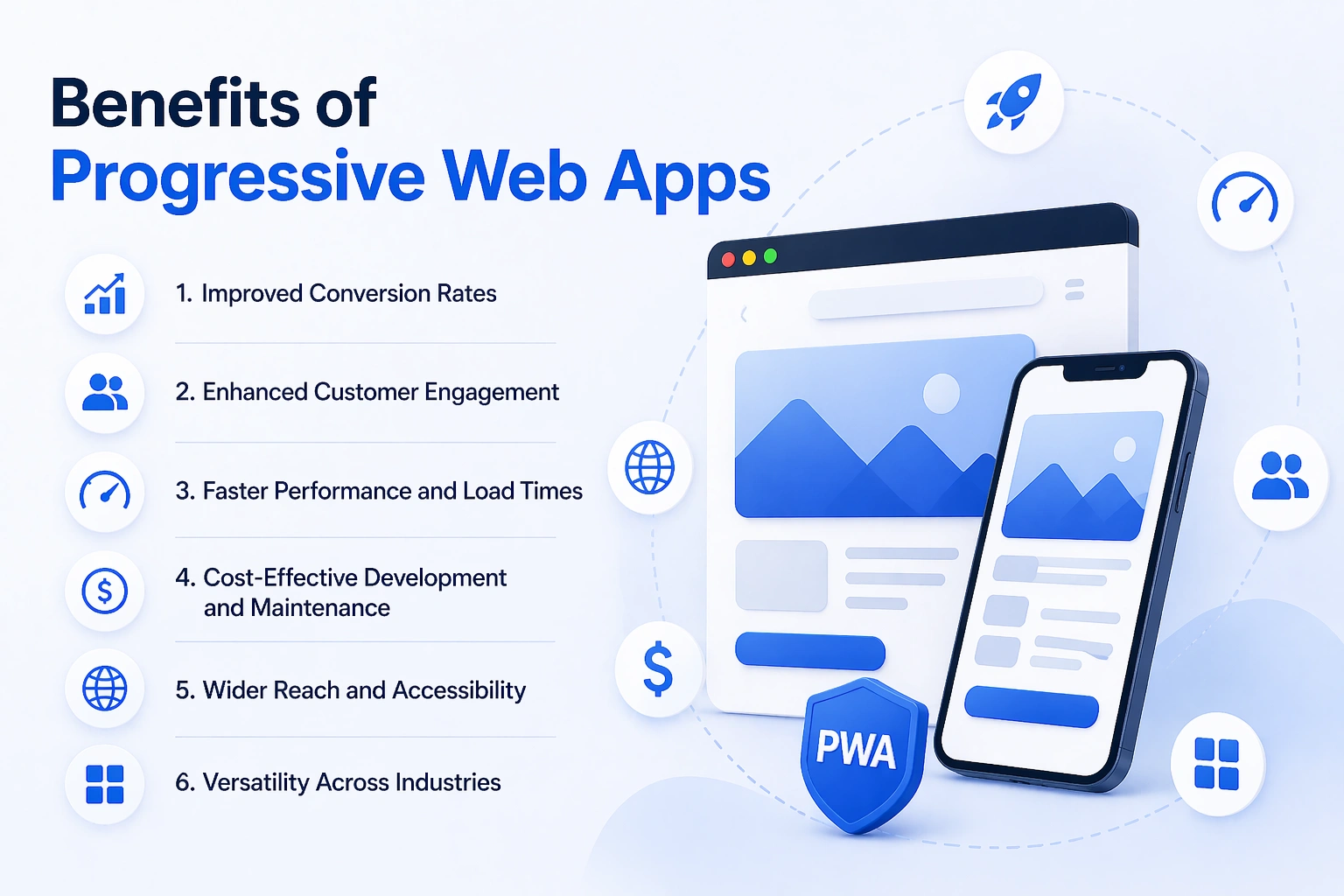
1. Improved Conversion Rates
PWAs are designed for speed and seamless user experience, which can lead to significantly higher conversion rates compared to traditional approaches.
2. Enhanced Customer Engagement
With features like push notifications and offline access, PWAs help businesses keep users engaged and encourage repeat interactions.
3. Faster Performance and Load Times
PWAs load quickly and perform efficiently, resulting in smoother user experiences and reduced bounce rates.
4. Cost-Effective Development and Maintenance
PWAs typically require less investment than native apps and have lower ongoing maintenance costs, making them a budget-friendly option.
5. Wider Reach and Accessibility
Since PWAs run through web browsers, they can be accessed across devices and platforms without requiring downloads from app stores.
6. Versatility Across Industries
PWAs are especially beneficial for sectors like retail, eCommerce, media, and productivity, where reach, speed, and engagement are critical.
Progressive web apps can help businesses reach a wider audience, increase conversions, and reduce costs, especially in sectors like retail, eCommerce, media, and productivity.
Progressive Web App Limitation
While Progressive Web Apps (PWAs) offer many advantages, they also come with certain limitations. Understanding these challenges along with possible solutions can help businesses make informed decisions:
1. Limited Access to Device Hardware
PWAs may not have full access to all device features, such as advanced Bluetooth functions, NFC, or certain sensors.
Solution: For applications that rely heavily on hardware integration, combining a PWA with a lightweight native wrapper or opting for a hybrid approach can bridge the gap.
2. Dependency on Browser Capabilities
PWA performance and features depend on the browser being used, which may lead to inconsistent experiences across platforms.
Solution: Use progressive enhancement techniques to ensure core functionality works everywhere, while advanced features are enabled on supported browsers.
3. Restricted Support for Advanced Native Features
Some complex functionalities, such as high-performance graphics or intensive background processing, are better handled by native apps.
Solution: Evaluate feature requirements early. If such capabilities are critical, consider native or hybrid development for those specific components.
4. Limited iOS Support Compared to Android
Although improving, PWAs on iOS still have some restrictions in areas like push notifications and background processes.
Solution: Plan platform-specific strategies, such as supplementing the PWA with a native iOS app if your audience heavily relies on Apple devices._
5. Discoverability Challenges
PWAs are not always as easily discoverable as apps listed in traditional app stores.
Solution: Strengthen SEO, leverage web marketing strategies, and consider listing the PWA in app stores using trusted packaging tools.
Core Technical Components of a Progressive Web Apps
A Progressive Web App is not a one-time technology, and it is a set of web standards in harmony. The core features of progressive web apps that make them stand out include:
1. Service Workers
A Service Worker is a JavaScript file that is executed in a background thread distinct from the main browser page. It serves as a network proxy and is programmable, which is placed between your application and the internet. Three of the most importeant capabilities that PWA relies on are Service Workers, like offline access, push notifications, and background sync
2. Web App Manifest
Manifest Web App is a JSON configuration file that outlines how your app should look and interact when installed on a user’s device. It specifies Information identification, icon support, display mode, theme color, background color, screen orientation preference, and start URL
The manifest also provides the Add to Home Screen prompt, which adds a native-like experience to the device of the user with a custom icon and full-screen launch experience of the PWA.
3. HTTPS (Secure Connection)
Any PWA has to be served through HTTPS. This is not only a best practice but a difficult technical requirement. Since Service Workers can intercept network requests, the lack of encryption would pose a significant security threat.
HTTPS protects users against man-in-the-middle attacks, positions your app as a well-known service, and is a strong search ranking factor in Google. Let’s Encrypt and Cloudflare are free providers of SSL certificates.
4. Responsive Design
A PWA should be entirely responsive and can fit any screen size, ranging from a 5-inch smartphone to a 27-inch desktop screen. The responsive design can be achieved through flexible CSS layouts, flexible responsive images, flexi media queries to provide the same, optimum experience to all your user devices.
Latest Trends in Progressive Web Apps
The development of Progressive Web Apps is dynamic and is supported by the improvement in web technologies and shifting user needs. As businesses increasingly emphasize speed, cross-platform experiences, and accessibility, several important trends are shaping the future of PWA development.
1. AI-Powered Personalization
PWAs are increasingly integrating Artificial Intelligence to deliver personalized user experiences through intelligent recommendations, predictive search, and chat support, enabling apps to dynamically respond to user actions and increase engagement.
2. Integration with IoT Devices
PWAs are going beyond the web by providing lightweight interfaces to IoT systems that let users manage smart home appliances and industrial systems, and interact with other connected technologies, without leaving the browser.
3. Voice Search and Voice Interfaces
Voice is an emerging feature of PWAs that enables users to browse, search, and interact with the application via speech recognition, making the application more accessible and aligned with current interaction trends.
4. Advanced Performance with Edge Computing
Using edge computing and effective caching techniques, PWAs can achieve faster load times, lower latency, and greater responsiveness, approaching the performance of native applications.
5. Enhanced UI/UX and Micro-Interactions
The role of design in PWAs is crucial, with an emphasis on fluid animations, responsive design, and user-friendly interactions that support the offline experience to ensure a refined, app-like user experience.
6. Machine Learning Integration
Machine Learning is being leveraged in PWAs to analyze user behavior, automate processes, and provide data-driven insights, helping businesses enhance decision-making and deliver more adaptive applications.
7. AR/VR Experiences
PWAs are beginning to support AR/VR features, enabling immersive experiences directly through the browser, especially in industries like retail, real estate, and education.
8. Blockchain Integration
Blockchain technology is being explored in PWAs to enhance security, enable decentralized applications, and support transparent transactions, particularly in finance and supply chain use cases.
Best Frameworks and Tools for Progressive Web Apps Development
The development framework you pick defines your app’s performance limit, maintainability, and how fast your development team can develop and iterate. Here are the leading options:
| Framework | Best For | PWA Support | Learning Curve |
| React + Next.js | SPAs, SEO-critical, high-traffic apps | Excellent (Create React App, Next.js) | Moderate |
| Angular | Enterprise-scale applications | Excellent (Angular CLI built-in) | Steep |
| Vue.js | Rapid prototyping, smaller teams | Very Good (Vue CLI) | Low to Moderate |
| Ionic | Mobile-first hybrid PWAs | Excellent (purpose-built for PWA) | Moderate |
| Svelte / SvelteKit | Performance-critical, minimal bundle size | Good | Low |
| Polymer | Web Components-based architecture | Good (Google-backed) | Moderate |
Progressive Web App Development Cost
One of the largest reasons why businesses are quickly shifting to PWAs is the progressive web app development cost. PWAs cost much less than creating independent native applications for iOS and Android, yet they can deliver an equally high-quality user experience.
Average Cost of PWA Development
The cost of building a Progressive Web App typically ranges between:
| PWA Type | Estimated Cost Range |
| Basic PWA | $30,000 – $60,000 |
| Mid-level PWA | $60,000 – $100,000 |
| Advanced / Enterprise PWA | $100,000 – $150,000+ |
These estimates may change based on the project’s complexity, features, and the location of the development team.
Key Factors That Affect PWA Development Cost
Several factors influence the overall cost of building a PWA:
1. Features & Functionality
The more features, the higher the cost, such as offline mode, push notifications, payment integration, or real-time updates.
2. Design Complexity
The custom UI/UX design, animations, and interactivity require more time and effort than template-based solutions.
3. Experience of Developers
The experience level of developers can influence the overall cost and development time based on their expertise and efficiency.
4. Backend Infrastructure
Backend development will be more expensive if your PWA requires APIs, databases, or third-party integrations (e.g., CRM or payment gateways).
5. Team Location & Expertise
Hiring developers in places like North America or Western Europe is normally more costly than outsourcing to countries like India.
Is a Progressive Web App Right for Your Business? How to Decide?
PWAs are powerful, though not always the most suitable in all application cases. Assess your situation using the following framework:
A PWA Is the Right Choice When:
- The initial objective is to reach as many ecosystems (iOS, Android, and desktop) with one investment.
- Keeping isolated native apps is not feasible due to budget or team size.
- Strategic priorities are SEO, content marketing, and organic search.
- Your target market also has users in areas with poor or high-cost data connections.
- You require quick deployment and incessant delivery free of the app store review delays.
- The focus of your application is content, eCommerce, news, productivity, media, or B2B services.
- You wish to confirm product-market fit quickly before investing in native apps.
| The PWA-First Strategy A PWA-first approach has become quite common in many successful product teams: release a PWA first to test the market, find first users, and get early revenue, and then invest in native apps after establishing product-market fit. This minimizes financial risk, time-to-market, and capital is saved in the features that are most important. |
Best Practices for Building a High-Performance Progressive Web App
Great PWAs and mediocre ones differ in terms of technical execution. The following best practices will make your PWA achieve its potential:
Performance Optimization
1. Use an App Shell Architecture: load a single lightweight ui skeleton right away, then fill it with dynamic content. This provides an immediate visual response to the users.
2. Apply serious Service Worker caching tactics: Cache-first (static fonts, CSS, images), Network-first (dynamic API responses).
3. Delay loading of images and non-necessary JavaScript files to decrease the initial bundle size.
4. Use WebP and AVIF modern image formats and responsive srcset attributes to save bandwidth.
5. Minimize and compress all bundling JavaScript and CSS. Attain a Google Lighthouse performance score of 90+ prior to launch.
User Experience Standards
1. Mobile-first design: begin with the smallest screen, then elaborate on larger screens.
2. Offer valuable offline experiences: when offline, showing cached content with a faint connectivity alert is preferable to a plain error message.
3. Smart micro-interactions and smooth animations at 60 fps should be used to enforce the native-app experience.
4. Use touch-optimized interaction targets (smallest size 44x44px according to Apple HIG and Google Material Design rules).
5. Surface the add to home screen prompt at a strategically fitting point in the user experience, not directly on the first use.
Technical Checklist
1. Distribute the whole application using HTTPS. It is a requirement and not optional.
2. Design an elaborate Web App Manifest including icons of all necessary resolutions (72px to 512px).
3. Create a Service Worker with a robust fetch handler and a versioned cache policy to keep content up to date.
4. Test on all target browsers and devices. Use Chrome DevTools, cross-browser testing tools such as BrowserStack, and Google Lighthouse.
5. Evaluate your PWA under the Lighthouse PWA audit tool of Google, and fix all the red flags before you launch the site
What Is the Future of Progressive Web Apps?
Progressive web apps have shown a new way to deliver an incomparable and unbeatable user experience on the web by offering immersive features that have been reserved only for native apps as of now. With the mobile-first approach, PWA has already taken the app development industry by storm and will take over the web world completely in the years to come.
As mentioned earlier, many big market players have already adopted PWAs and seen significant improvements in traffic, conversions, load times, bounce rates, and more. Considering this, PWAs will arguably stand against the native mobile app industry’s stronghold in the future.
Conclusion
Progressive Web Apps can be described as a true paradigm shift in application creation, deployment, and experience. They provide the high-quality user experiences that you want with the web at a reduced cost of development, enhanced SEO, accelerated deployment, and a smooth user experience that completely removes all obstacles between your customers and your product.
Data from both small startups and Fortune 500 companies shows that adopting PWAs leads to significant increases in engagement, conversion, and revenue. A lot has changed since the introduction of the PWA technology. Browsers and device capabilities are converging quickly. And with each update to Safari, each addition of Web API, each success story, the strategic case of PWAs becomes more sound.
As a business owner, startup founder, or app strategist, a PWA is well worth considering, not as a compromise, but as a strategy of greater strategic value in an increasing number of app categories.
Ready to get started? Contact the PWA development services at appschopper.com and make a case together.
Frequently Asked Questions
1. What industries benefit the most from PWAs?
PWA is a highly efficient platform across the retail, eCommerce, media, productivity, and B2B service industries. They are also ideal where internet connectivity is slow or high-cost, since the business can access various platforms using them.
2. How do I choose the right progressive web application framework?
The choice of a PWA framework will depend on the app’s complexity, performance requirements, and the team’s skills. The strengths of React, Angular, Vue.js, Ionic, and Svelte include support for SEO, quick prototyping, scalability for enterprise development, and hybrid mobile-first applications.
3. What are the key features of Progressive Web Apps?
PWAs offer offline functionality via Service Workers, push notifications, installation to the home screen via the Web App Manifest, secure HTTPS connections, responsive design across all devices, and access to common device hard4. What are the progressive web app limitations?ware, such as the camera, GPS, and Bluetooth.
4. What are the progressive web app limitations?
The disadvantages of PWAs include limited access to more advanced hardware, limited offline capability, partiality with older versions of iOS, and inability to support high-performance 3D graphics or real-time games, which native apps can better handle.
5. How long does it take to build a PWA?
The time required for development depends on complexity: a simple PWA can be developed in 4-6 weeks, a mid-level one in 2-3 months, and an enterprise-level one in 4-6 months or more, depending on the framework selection, backend integration, design, and the team’s experience.