Table of Contents
Any company pursuing a mobile-first approach will eventually reach the same impasse: develop a native application or use a Progressive Web App (PWA)?
Making the wrong choice here not only wastes your budget but also causes a disjointed user experience, increases maintenance costs, and takes months before you reach the market.
The difficulties are actual. Native applications are costly and platform-based. PWAs are quick to distribute, but they cast doubt on their functionality in iOS, offline support, and discoverability in the app store.
One is not always better than the other. The correct decision is based on your target audience, business model, feature requirements, and growth path.
This guide takes you to a detailed side-by-side comparison of PWA and native app – its architecture, performance benchmarks, real-life examples, cost analysis, and a clear decision-making framework.
What Is a Native App?
A native application is a computer program written to run on a specific operating system, such as iOS or Android, using the primary programming language and SDK provided by that operating system.
Native iOS applications are developed in Swift or Objective-C, native Android applications in Kotlin or Java. The app is sold in the official application stores (Apple App Store or Google Play Store) and installed on the device.
Since native apps can access the underlying hardware and OS APIs, they provide the most integrated experience possible, including access to the camera, GPS, accelerometer, biometrics, Bluetooth, NFC, push notifications, and offline storage.
It is this direct access to the API that makes native apps the performance gold standard of the performance-sensitive apps, such as AR/VR applications, real-time games, and financial applications, which require low-latency operations.
Key Characteristics of Native Apps
- Coded in platform-specific languages (Swift/Kotlin/Java).
- Available in the Apple App Store or the Google Play Store.
- Direct access to all hardware and system APIs.
- Localized on the device to support offline-first.
- An efficient rendering engine that is bound to the platform UI toolkit.
- Supported on platform-specific features such as Apple Watch integration, Android widgets, and home screen shortcuts.
What Is a Progressive Web App (PWA)?
A Progressive Web App (PWA) is a web app created in typical web languages, HTML, CSS, and JavaScript, and provides a native-app experience in the browser. PWAs are built on a set of current web APIs and design principles to fill the gap between traditional websites and fully native applications.
Google engineers Alex Russell and Frances Berriman coined the term in 2015. A PWA is progressive in the sense that it increases its functionality over time, depending on the capabilities of the device and the browser. It acts like an application on a competent modern browser. It also degrades gracefully to a conventional site in older browsers.
PWAs can be pinned to the home screen, work offline via service workers, send push notifications, and load in under 2 seconds without downloading an app store. This has a PWA mobile app development proposal appealing to businesses that want to reach a wide audience at a reduced cost.
Here are the Core Technologies Behind PWAs:
- Service Workers: Background JavaScript-based scripts that reply to network requests, allowing offline use, caching, and push notifications.
- Web App Manifest: This is a JSON file that describes the app’s appearance on the device’s home screen, including icons, a splash screen, and display mode.
- HTTPS: Must have PWA security – all information on the fly is encrypted.
- Responsive Design: Fits any size, whether mobile or desktop.
- App Shell Architecture: Isolates UI infrastructure and content to allow content to load quickly and reliably.
Native App Examples
Native applications are among the most widely used digital products in the world. The following are some examples of where native development should be invested:
- Instagram (iOS and Android): Live camera effects, Stories, Reels, and AR effects require immediate GPU access, which can only be achieved through native APIs.
- Uber: Live GPS mapping, background localization, and low-latency matching of drivers and rider demand require low-level integration.
- Pokémon Go: Augmented Reality, accelerator input, and camera fusion cannot be realized without native device APIs.
- WhatsApp: Background push-delivered end-to-end encrypted messaging based on native notification services (APNs and FCM).
- Google Maps: Caching of offline maps, turn-by-turn navigation, and sensor fusion are native-only features.
- PUBG Mobile / Fortnite: 3D direct Metal (iOS) or Vulkan (Android) GPU pipeline access is needed, and it must be at high frame rates.
Pattern: Native applications share a similar profile: they require real-time hardware access, provide sophisticated animations, or require a long-running background service. Native is the right choice in case your app matches this profile.
Examples of a Progressive Web App
Some of the largest organizations in the world have already implemented PWAs, which demonstrates that web-based delivery can compete with and even exceed native apps in the appropriate setting:
- Twitter Lite (PWA): 70% less data used, 75% more tweets sent, 20% less bounces, all with a 600KB PWA replacing a multi-MB native app.
- Starbucks PWA: Completely offline. Users can navigate the menu and tailor orders without connectivity, then resume syncing upon reconnection. The PWA comprises 99.84 percent less than the iOS app.
- Pinterest PWA: Pinterest rebuilt as a PWA, driving 60% higher core engagement and a 44% increase in user-generated ad revenue.
- Trivago: A hotel booking PWA that increased user engagement by 150% for those who added it to their home screen.
- Spotify Web Player: A full-fleet music streaming PWA with offline capabilities and an installable user experience.
- Google Maps Go: A downsized PWA app that delivers users slower data plans in developing economies.
Progressive Web App Features
What is the difference between a PWA and a conventional mobile site? The next set of progressive web app features enhances the experience to a higher level:
| Feature | Description | Benefit |
| Offline Mode | Service workers cache assets and data locally | Works without internet connectivity |
| Installable | Added to home screen via “Add to Home Screen” prompt | App-like presence without an app store |
| Push Notifications | Re-engage users via browser-native push APIs | Increases retention and repeat visits |
| Background Sync | Queues actions offline and syncs when the connection returns | Seamless UX in poor connectivity |
| Responsive Design | Adapts layout to any viewport size | Single codebase for all devices |
| Fast Load (PRPL) | Push, Render, Pre-cache, Lazy-load pattern | Sub-2-second initial load times |
| App Shell | UI skeleton loads instantly; content fills in | Perceived performance boost |
| Secure (HTTPS) | Mandatory TLS encryption | Data security and SEO ranking signal |
| Discoverable | Indexed by search engines like any web page | Organic traffic without app store |
| Linkable | Share any screen via URL | Viral distribution, deep linking |
Native Application Development Frameworks
The selection of an appropriate framework is a core part of your development process, group structure, and sustainability. The most popular native app development frameworks are as follows:
Fully Native Frameworks
- Swift / SwiftUI (iOS): The new language of developing native iOS, macOS, watchOS, and TV apps at Apple. SwiftUI supports declarative development of UI with live previews in Xcode.
- Kotlin / Jetpack Compose (Android): The language that Google favors when developing Android. Jetpack Compose is the Kotlin DSL that replaces XML layouts with a declarative one.
Cross-Platform Native Frameworks
- React Native: JavaScript-based framework by Meta (Facebook), which is compiled to native UI components, not WebViews. Instagram, powered by Facebook, and Shopify apps. The most commonly used cross-platform choice is the one preferred by the team with expertise in JavaScript.
- Flutter (Dart): Google UI toolkit which renders its own widgets using the Skia/Impeller engine – not using native UI components or WebViews. Delivers pixel-perfect consistency between platforms with almost native performance.
- Kotlin Multiplatform Mobile (KMM): Shares business code between iOS and Android while retaining native UI for each platform. New entry alternative to companies that already have Kotlin codebases.
Hybrid Frameworks (Web + Native Shell)
- Ionic + Capacitor: Embarks a web application in a native shell. Native-like, but with access to native plugins through Capacitor, and closer to PWA.
- Xamarin / .NET MAUI: Microsoft application development platform of cross-platform applications in C# – used in enterprise .NET ecosystems.
What are the Benefits of PWA?
Content-driven, e-commerce, and media-first businesses are the most compelling ones regarding the benefits of PWA. The following is a breakdown in structure:
1. Single Codebase, Universal Reach
One PWA is compatible with Android, iOS, Windows, macOS, and Linux – on any web browser. Development resources are consolidated rather than partitioned across platforms.
2. No Dependency on App Store
Release updates immediately – no review, no versioning, no 30% commission. The version is always updated automatically.
3. Reduced Development and Maintenance Cost
One web team can be used to develop and maintain a PWA compared to maintaining two or more codebases targeting iOS and Android, and platform experts.
4. SEO Discoverability
PWAs are searchable by Google, Bing, and other search engines, unlike native applications. The content is indexed and naturally ranks.
5. Quick Onboarding
There is no installation needed – users open the PWA through a URL. Conversion rates are also higher because there is no friction during app download and installation.
6. Lightweight
PWAs are generally 10x to 100 times smaller than their native app equivalents, which lessens data consumption and load times – important to new market users.
7. Offline Ability
Service workers store important resources and information that can be used to continue working even without an internet connection.
What are the Benefits of React Native?
When companies compare a react native app to a PWA, React Native has a specific set of benefits that can support the increased investment:
1. Real Native UI Rendering
React Native also maps JavaScript components to real native UI elements (UIView on iOS, Android View on Android) – not WebViews. The outcome is an interface that appears and acts just as users anticipate on every platform.
2. Cross-Platform Code Reuse
Code used in React Native is typically shared across iOS and Android (usually 70-90%), which significantly reduces development time compared to creating two native apps.
3. Full device Hardware
Camera, GPS, Bluetooth, NFC, biometrics, ARKit/ARCore, Apple HealthKit, and any device sensor – all available as native modules and community packages.
4. App Store Distribution
React Native applications are available in official app stores, which offer discoverability, in-app purchases, and placement.
5. JavaScript Ecosystem
React. JS-skilled teams can move to React Native with a small learning curve – tooling, libraries, and even some business logic can be used with web front-ends.
6. Hermes JavaScript Engine
React Native can be packaged with Hermes, an optimized mobile-based JS engine created by Meta, which can start up faster and consume less memory.
7. New Architecture (JSI + Fabric)
The new architecture of React Native removes the asynchronous bridge and uses JavaScript Interface (JSI), which allows native calls to be made synchronously, and the new architecture significantly improves performance in performance-sensitive situations.
8. Big Ecosystem and Community
Supported by Meta, which contains thousands of community packages on npm, extensive documentation, and wide enterprise usage.
Difference Between PWA and Native App
The gap between PWA and native applications spans technology, distribution, capabilities, and cost. It is structured in a side-by-side view, as shown in the following table:
| Attribute | PWA | Native App |
| Technology Stack | HTML, CSS, JavaScript | Swift, Kotlin, React Native, Flutter |
| Distribution | URL / browser (no store) | App Store / Google Play |
| Installation | Optional home screen shortcut | Required device installation |
| Offline Support | ⚡ Partial (via service workers) | ✓ Full (native storage & sync) |
| Device Hardware Access | ⚡ Limited (camera, GPS, basic sensors) | ✓ Full (all APIs including NFC, Bluetooth) |
| Push Notifications | ⚡ Android: Yes / iOS 16.4+: Yes | ✓ Full support on all iOS & Android |
| Performance | Good (browser-bound rendering) | Excellent (native rendering engine) |
| App Store Discoverability | ✗ Not listed | ✓ Indexed in stores |
| SEO Discoverability | ✓ Fully indexed by search engines | ✗ App content not indexed |
| Update Mechanism | Instant server-side push | App store review required |
| Development Cost | Lower (single codebase) | Higher (per platform or cross-platform) |
| Time to Market | Faster | Slower (review + approval cycle) |
| Monetization | No in-app purchase native support | Full in-app purchases (Apple/Google billing) |
| Background Processes | Limited (service workers only) | Full background execution support |
| User Trust / Credibility | Moderate | High (app store social proof) |
React Native App vs PWA Performance
Considering the performance of PWA and native apps, one should differentiate between rendering performance, load time performance, and perceived performance, since PWAs and native apps are optimized to different metrics.
1. Rendering Performance
Native apps present UI with the native rendering system of the operating system – UIKit on iOS or the Android View system. This provides them with direct access to the GPU, hardware-accelerated animation effects, and a consistent 60-120 fps frame rate.
PWAs are displayed using the browser’s compositor and must be limited by JavaScript threads. After complex animations and transitions, PWAs may experience jank unless carefully optimized with CSS transforms and requestAnimationFrame.
2. Load Time Performance
PWAs excel here. A well-constructed PWA can have a Time to Interactive (TTI) of less than 1 second on the first page load during repeat visits, which is much faster than loading a heavy native application from the app store. Native apps require a full OS process start; PWAs are already partially loaded in the browser cache.
3. Network Performance
PWAs rely on service workers to handle network requests and respond with cached responses, supporting “offline-first” patterns. Native apps can also use such patterns with local SQLite databases and background sync; however, explicit implementation and additional code are required.
4. Memory & CPU
Native applications run in a special process and allocate memory managed by the OS. PWAs run in the same memory space as the browser, which means they compete with other tabs and the browser’s overhead. Native is much more efficient with resource-intensive tasks – 3D rendering, video encoding, ML inference.
PWA vs Native App Pros and Cons
The trade-offs to apply in particular business situations can be explained by the following decomposition of PWA vs React Native App Performance mobile app pros and cons:
PWA Pros & Cons
| Pros | Cons |
|
|
Native App Pros & Cons
| Pros | Cons |
|
|
Progressive Web App Development Cost
Progressive web app development cost varies based on design complexity, feature set, third-party integrations, and the development team’s location and experience. Here’s a practical breakdown:
| Basic PWA $8K – $25K Minimal content-based PWA, offline reading support, push notifications, and home screen install.
| Mid-Tier PWA $25K – $60K E-commerce or SaaS PWA offline cart, payment, and real-time.
|
| Enterprise PWA $60K – $150K+ Multi-language, advanced analytics, complex enterprise-grade PWA with CRM/ERP integrations.
| Key Cost Factors Variables
|
React Native App Development Cost
The React Native app development services cost is generally 40-60% less than developing independent native iOS and Android applications, and still provides almost the same level of performance as native apps. The actual cost range is as follows:
| Simple React Native App $20K – $40K Minimal screens, authentication, REST API integration, and single platform release.
| React Native App Mid-tier $40K – $80K Full-fledged application with complicated UX, real-time functionalities, third-party integrations, and iOS and Android.
|
| Enterprise React Native App $80K – $150K+ Enterprise apps for hardware integrations, advanced security, multi-platform, and DevOps pipelines.
| Cost Saving Tips Save Smart
|
Comparison of Costs: A PWA is usually 30-50% less expensive than a similar React Native application. But when your application needs access to native hardware, in-app purchases, or complex offline-first data synchronization, the React Native investment makes it worth it. Get to learn more about mobile app development cost through AppsChopper.
PWA vs Native App: What to Do?
Whether to choose a PWA or a native mobile application is not a question of technology superiority but rather which one is more important to your business. Apply the following decision framework: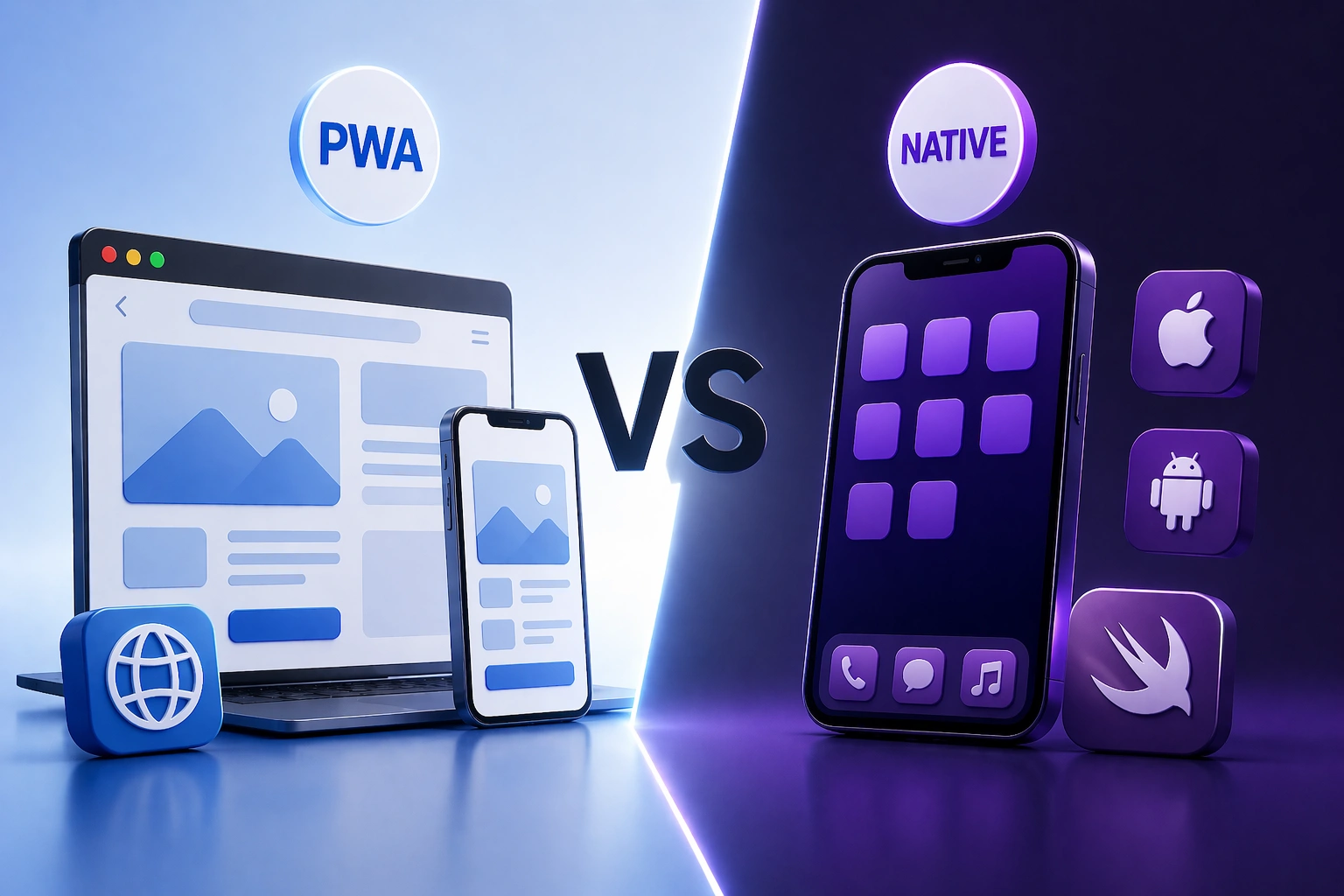
1. Decision Framework: Native vs PWA
Choose PWA if…
Your business case is content, media, or e-commerce. You require wide coverage, quick time-to-market, as well as a low budget. The key channels of growth are SEO and organic traffic.
Select Native (React Native) when…
You require access to substantial hardware (camera, GPS, Bluetooth), offline processes, in-app purchases, or a high-performance interactive experience. Brand credibility through app stores is important.
Consider Both (PWA + Native) if…
You are targeting both web and mobile. Most large-scale products, such as Twitter, Spotify, and Starbucks, offer a PWA on the web and a native mobile app for mobile-first users.
Budget-Constrained Startups
An excellent MVP strategy is a PWA. Get your product idea validated, build users and make money – then invest in native app development with data-driven certainty.
2. Use This Checklist
- Does your application need Bluetooth, NFC, or advanced AR?
- Do you mainly use organic search as your acquisition channel?
- Do you need in-app subscriptions or purchases?
- Does your user base have low-bandwidth connections?
- Is offline-first complex data s_ync critical?
- Do you want to test a new product idea on a budget?
- Requirement of real-time gaming or AR/VR experiences?
- Is it used as a core content consumer (news, media, docs)?
Why Choose AppsChopper for Your App Development?
We are a mobile and web application development firm with in-depth knowledge in both native and progressive web application development services.
Our experience in the industry spans more than a decade, and we have delivered more than 500 products across retail, fintech, healthcare, logistics, and media. This means we offer both technical expertise and business experience in each engagement.
As an engineering company, we are well-versed in React Native, Flutter, Swift, Kotlin, and modern PWA architectures. We do not dictate solutions; we design the appropriate technology stack because of your product objectives, schedule, cost, and user needs.
Our team can execute end-to-end, whether you are developing a market-vindicating MVP or scaling an enterprise mobile platform.
Conclusion
It is not a question of which technology is better than the other: a PWA or a native app, it is a question of situating your product strategy with the experience you want to provide and the limits you are operating within.
PWAs are fast, far-reaching, and cost-effective, which makes them the best choice in companies that follow a content delivery strategy, can iterate quickly, and need wide accessibility. Native apps, however, are worth the greater investment when performance, in-depth integration with devices, and high-quality user experience are a must.
The best course of action is not always binary for a lot of businesses. To validate your idea, shorten your time-to-market and gain an initial user base, starting with a PWA can be a good idea.
When your product matures and user expectations change, a shift to, or addition of, a native app can open the door to capabilities and interaction opportunities that were previously unavailable.
Frequently Asked Questions
1. Is a PWA superior to a native application?
Each of them is not necessarily superior. PWAs are best suited to cost-effectiveness, rapid deployment, and search-engine-based outreach, whereas native apps offer better performance, deeper hardware integration, and stronger app store performance to support high-engagement experiences with rich features.
2. Is it possible that a native app can be entirely replaced with a PWA?
PWAs, e-commerce, and internal applications can entirely substitute native applications with heavy content. Nevertheless, applications that require advanced hardware access, real-time processing, in-app purchases, or continuous background processing remain, to a great extent, beneficiaries of native development patterns.
3. What is the react native versus PWA?
React Native is a JavaScript framework to create native applications and render native UI components, which are distributed through app stores. PWAs are web applications that can be installed and are based on a browser, which have simpler deployment capabilities but reduced hardware access and lower performance.
4. Time to develop a PWA compared to a native application?
The average PWA can be created in 3 to 4 weeks, and a medium-level React Native application can be created in 2 to 4 months. Native apps in both iOS and Android can require 4 – 6 months, based on advancement and specification.
5. Is it possible to make my current site a PWA?
Yes, a majority of the modern websites may be converted to PWAs with the inclusion of a web app manifest, service workers, HTTPS, and responsive design. This work will require you to have an existing architecture and your intended offline functionality or performance improvements.