
Table of Contents
Software and mobile app testing today looks very different from what it did even a few years ago. Applications are released faster, mobile apps must work across countless devices, and users expect near-perfect performance from day one. In this environment, traditional testing approaches and manual or script-based automation often struggle to keep up.
This growing complexity is why artificial intelligence (AI) in software testing is gaining serious traction. Unlike rule-based automation, AI can analyze patterns from test data, learn from past failures, and adapt as applications change. Instead of reacting to defects late in the cycle, teams can start identifying risks earlier and testing more intelligently.
In this blog, we’ll explore what AI in software testing really means, how it’s used in practice, the tools and strategies teams rely on, and where the future is headed, without the hype.
No wonder adoption is rapidly increasing. According to a recent Future of Quality Assurance 2023 study of over 1,600 software testing professionals, nearly 78% of testers have already adopted some form of AI to improve their workflows, ranging from generating test cases to analyzing results and reporting outcomes.
The value of AI isn’t in flashy demos or buzzwords. It’s in real productivity gains, faster feedback loops, and higher confidence in releases. Especially in contexts like mobile app development and continuous delivery environments, traditional testing approaches alone struggle to keep up, while AI-enhanced workflows help teams stay ahead of risk rather than chase it.
In this blog, we’ll go beyond definitions to help you understand what AI in software testing truly is, how it’s being used across the lifecycle, where it delivers the most value, the tools teams are choosing today, and the challenges that come with adoption. We’ll also explore emerging trends like agentic AI, AI chatbot and generative AI in testing, and what they mean for the future of quality engineering.
What Is AI in Software Testing?
When people ask what AI is in software testing, they’re often trying to understand whether it’s just a more advanced form of automation. In reality, it represents a shift in how testing decisions are made, not just how tests are executed.
Artificial intelligence (AI) in software testing uses machine learning models and data analysis to learn from past test runs, defects, and application behavior. Unlike traditional automation, which depends on fixed scripts, AI can recognize patterns and adapt as the software evolves.
At a basic level, AI and ML in software testing enable teams to:
- Learn from historical test execution and defect data
- Identify high-risk areas in the application
- Prioritize test cases based on impact and usage
- Reduce redundant or low-value tests
- Adapt to UI and workflow changes with less manual effort
AI does not replace manual or automated testing but enhances both. Manual testing remains essential for exploratory scenarios and usability checks, while automation handles repeatable workflows. AI sits on top of these approaches, helping teams decide what to test, when to test, and where to focus.
The role of AI in software testing becomes especially valuable in CI/CD environments and mobile applications, where frequent updates, device fragmentation, and changing user behavior make traditional testing difficult to maintain. By minimizing flaky tests and adjusting to changes automatically, AI helps teams focus more on quality and less on test maintenance.
In simple terms, AI transforms software testing from a rule-based activity into a learning, data-driven process, making testing smarter, more resilient, and better aligned with modern development needs.
Role of AI in the Software Testing Lifecycle
AI acts as a continuous intelligence layer across the software testing lifecycle. Instead of reactive testing, AI enables teams to make smarter decisions at every stage, from planning to post-release monitoring.
Here’s how AI contributes at key stages:
| Lifecycle Stage | Role of AI | Business/QA Benefit |
| Planning & Analysis | Analyzes historical defects, code changes, and user behavior | Focus testing on high-risk areas; reduces wasted effort |
| Test Design | Suggests optimized test cases, identifies coverage gaps | Better coverage with fewer tests; less maintenance |
| Test Execution | Prioritizes tests, adapts to UI changes, and reduces flaky tests | Faster CI/CD cycles; reliable test results |
| Defect Analysis | Groups related defects, predicts root causes, and identifies recurring issues | Shorter feedback loops; quicker bug resolution |
| Post-Release Monitoring | Detects anomalies from user behavior and performance metrics | Continuous improvement; real-world quality assurance |
In essence, AI transforms software testing from a rule-based activity into a learning, data-driven process. Teams can focus on high-value testing, reduce maintenance overhead, and improve confidence in releases.
For decision-makers, the takeaway is clear: AI in the testing lifecycle means faster delivery, better quality, and scalable testing, without overloading your QA team.
How to Use AI in Software Testing?
Knowing what AI can do is one thing, but knowing how to use AI in software testing effectively is what delivers real results. The key is to start strategically, integrate AI with existing workflows, and focus on areas where it brings the most impact.
Here are the essential steps to get started:
- Identify Pain Points: Look for areas where manual testing or traditional automation struggles, flaky tests, high maintenance, or slow regressions.
- Choose Use Cases of AI in Business: Start with high-impact applications like test prioritization, self-healing scripts, and visual regression testing.
- Integrate with CI/CD: Connect AI tools with your pipelines to enable faster feedback and smoother release cycles.
- Measure Results: Track metrics like defect detection, time saved, and improved test coverage to validate ROI.
- Scale Gradually: Expand AI to additional test cases and modules only after seeing results from your pilot implementation.
Pro Tip: Always keep human testers involved. AI is meant to augment, not replace, manual and exploratory testing. Use AI insights to reduce repetitive work while testers focus on complex scenarios and quality decisions.
By following these steps, teams can turn AI into a strategic ally, optimizing workflows, accelerating release cycles, and improving overall software quality.
Manual Testing VS Automation Testing: A Difference Worth Discussing
Manual testing and automation testing are not alternatives but are complementary. Manual testing provides human judgment and flexibility, while automation delivers speed and consistency at scale. Most modern QA teams rely on a balanced combination of both, depending on the application stage and testing goals.
Manual testing remains critical for human insight, creativity, and usability validation. However, as applications grow more complex and release cycles shorten, AI-driven automation testing enables teams to move faster, reduce repetitive effort, and make smarter testing decisions using data.
The most successful QA strategies today combine manual testing with AI-driven automation, allowing testers to focus on quality while AI handles scale and optimization.
| Criteria | Manual Testing | AI-Driven Automation Testing |
| Definition | Testing performed manually by human testers | Testing powered by AI/ML that learns, adapts, and optimizes test execution |
| Human Involvement | Very high throughout the testing process | Strategic involvement, humans guide, AI executes and optimizes |
| Best Suited For | Exploratory testing, usability testing, edge cases | Regression testing, test prioritization, and defect prediction |
| Adaptability | Highly flexible but dependent on tester effort | Self-healing tests that adapt to UI and workflow changes |
| Speed of Execution | Slower and limited by human capacity | Faster execution with intelligent test selection |
| Scalability | Difficult to scale across large applications | Easily scalable across modules, platforms, and releases |
| Accuracy & Consistency | Can vary due to human error | High consistency with data-driven learning |
| Maintenance Effort | Low setup, high repetitive effort | Reduced maintenance through AI-based script healing |
| Data Utilization | Minimal use of historical test data | Leverages historical data to improve future test runs |
| CI/CD Readiness | Limited compatibility | Fully compatible with modern CI/CD pipelines |
| Business Impact | Quality validation at a functional level | Faster releases, lower risk, and improved ROI |
AI for Types of Usability Testing: A Difference Between Functioning
Usability issues are rarely technical bugs, but they strongly influence user adoption and retention. AI for types of usability testing helps teams evaluate user experience at scale by analyzing design, behavior, and interaction patterns without relying only on manual observation.
Below is a clear breakdown of how AI supports different types of usability testing:
| Usability Testing Type | How AI Helps | Primary Value |
| Visual Usability Testing | Detects layout breaks, UI inconsistencies, and responsiveness issues across devices | Maintains visual consistency and brand trust |
| Accessibility Testing | Identifies contrast issues, missing labels, and navigation barriers | Improves inclusivity and compliance |
| Behavioral Usability Testing | Analyzes user interactions to identify friction and drop-off points | Improves task completion and engagement |
| Mobile Usability Testing | Test gestures, responsiveness, and UI behavior across devices | Enhances mobile user experience |
| Cross-Platform Usability | Compares UX consistency across web, iOS, and Android | Ensures uniform experience |
What are the AI Applications in Software Testing?
So, what does AI actually do in real testing environments?
AI in software testing isn’t about replacing your QA team or magically eliminating bugs. It’s about solving the problems that slow teams down, flaky tests, growing regression suites, limited coverage, and late defect discovery.
Let’s walk through the most common use cases of AI in business for software testing, the way teams use them today.
Smarter Test Case Prioritization
One of the biggest challenges in testing is deciding what to test first. AI analyzes historical defect data, code changes, and past test results to prioritize the most critical test cases.
Instead of running everything every time, teams focus on high-risk areas, saving time without sacrificing quality.
Self-Healing Test Automation
Traditional automation breaks whenever the UI changes. AI-driven automation testing solves this by automatically adapting test scripts when locators or workflows change.
This dramatically reduces test maintenance effort and keeps pipelines running smoothly.
Visual Regression Testing That Makes Sense
AI compares UI changes intelligently, identifying meaningful visual issues rather than flagging every pixel-level difference. This helps teams catch layout breaks, missing elements, and visual inconsistencies across devices.
AI-Powered Test Data Generation
Creating realistic test data manually is slow and error-prone. AI and ML in software testing generate diverse datasets that simulate real-world scenarios, improving test coverage and accuracy.
Early Defect and Performance Detection
AI detects patterns in failures and performance metrics, helping teams identify potential issues before they impact users. This shifts QA from reactive bug fixing to proactive quality assurance.
AI Software Testing Tools: Names You’ll Hear and What They’re Used For
Once teams start exploring AI in software testing, they usually ask the same question:
“Which tools are actually using AI, and what do they help with?”
Instead of throwing a long tools list at you, let’s look at AI testing tools by what they do best, because that’s how teams evaluate them in the real world.
Tools Focused on Self-Healing Automation
One of the most common reasons teams adopt AI-driven automation testing is to reduce flaky tests and constant script maintenance.
Tools like Testim, Mabl, and Functionize are often used here. They apply machine learning to understand application behavior, so tests can automatically adjust when UI elements or workflows change.
These tools are typically chosen by teams running frequent releases who want automation that doesn’t break every time the UI updates.
Tools Built for Visual and UI Testing
Visual issues are notoriously hard to catch with traditional automation. This is where AI shines.
Applitools is a well-known example in this space. It uses AI-powered visual comparison to identify meaningful UI changes while ignoring noise. Teams use tools like this to ensure visual consistency across browsers, devices, and screen sizes, especially for customer-facing applications.
Tools Designed for Enterprise-Scale Testing
Larger organizations often need AI testing tools that can handle complex systems, integrations, and compliance requirements.
Platforms like Tricentis Tosca focus on model-based testing and intelligent optimization, making them suitable for enterprise applications development where test coverage and risk management are critical.
Tools That Emphasize Analytics and Test Insights
Some AI testing tools focus less on execution and more on insight.
These tools analyze historical test data, defect trends, and failure patterns to help teams understand why issues occur. This category supports smarter decision-making around release readiness and test prioritization.
A Quick Reality Check on “Best AI Testing Tools”
When people search for the best AI testing tools or an AI testing tools list, what they usually want is clarity, not brand names.
The right tool depends on:
- Your application type (web, mobile, enterprise)
- Your release frequency
- Your current testing maturity
- Your long-term AI testing strategy
Tools enable AI, but strategy determines success.
Different Benefits of AI in Software Testing
By now, it’s clear that AI can be used in software testing. The more important question is why teams are actually adopting it. The benefits of AI in software testing go beyond speed. They impact quality, cost, and confidence in releases.
Let’s look at the benefits the way teams experience them in real projects.
| Benefit Area | How AI Helps | Impact on Teams & Business |
| Faster Testing Cycles | Prioritizes high-risk test cases and reduces redundant execution | Faster feedback and quicker releases |
| Reduced Test Maintenance | Self-healing tests adapt to UI and workflow changes | Less time fixing scripts, lower QA effort |
| Improved Test Coverage | Identifies gaps using historical data and usage patterns | Fewer missed defects in production |
| Higher Accuracy & Consistency | Learns from previous runs to reduce flaky test results | More reliable test outcomes |
| Better Release Decisions | Analyzes trends across builds and test runs | Data-driven go/no-go decisions |
| Scalability | Handles growing applications and platforms efficiently | Supports long-term product growth |
| Cost Optimization | Reduces repetitive manual effort over time | Better ROI on QA investments |
The real value of AI in software testing is not automation alone but intelligent optimization. Teams move faster, testers focus on higher-value work, and businesses gain confidence in every release.
Challenges of Implementing AI in Software Testing and How to Solve Them
Adopting AI in software testing comes with challenges, but none are insurmountable. Understanding the hurdles and having a strategy to overcome them is key to a successful implementation. Let’s break them down.
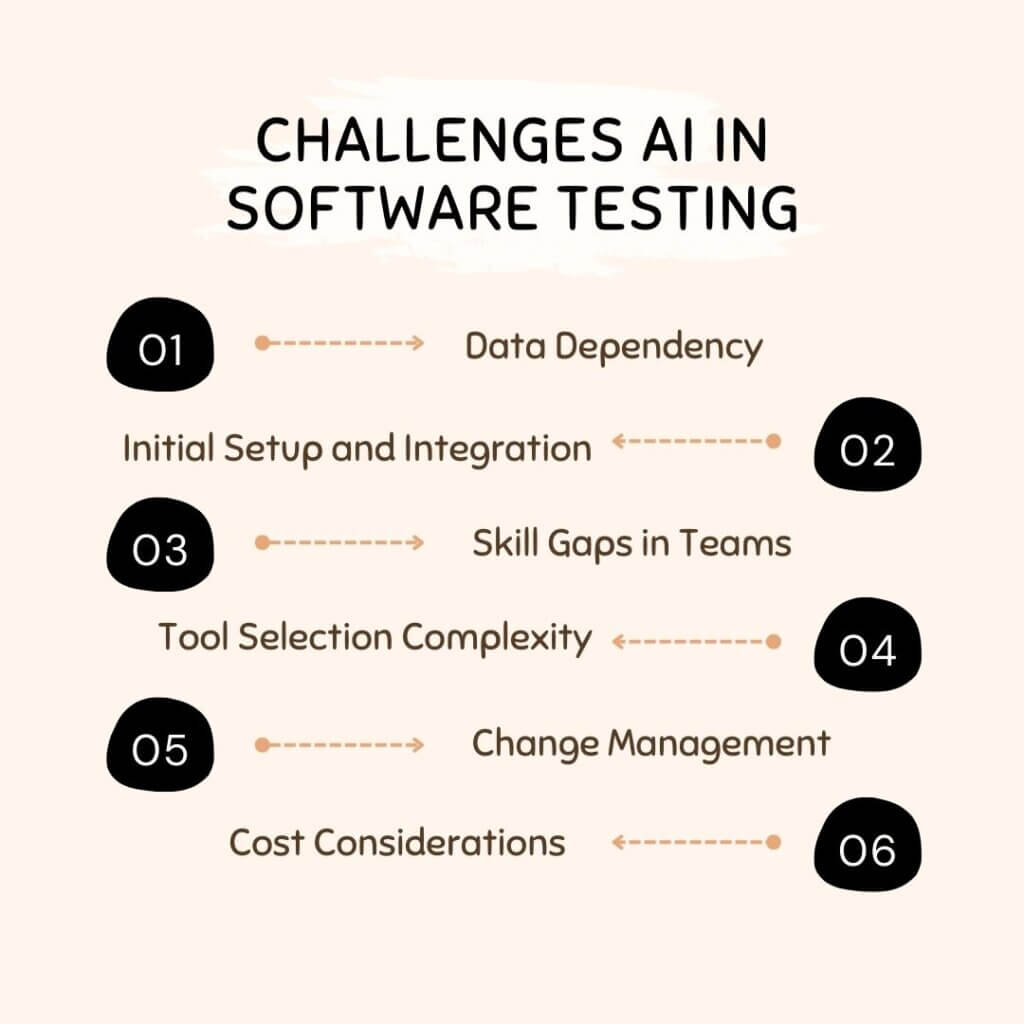
 1. Data Dependency
The Challenge: AI relies heavily on historical test cases, defect logs, and usage patterns. Poor or incomplete data can limit AI’s accuracy and predictive capabilities.
The Solution:
Start by cleaning and structuring your test and defect data. Focus on collecting high-quality, relevant datasets. Even a smaller, well-curated dataset can provide valuable AI insights. Over time, continuously feed new test results and usage data to improve AI performance.
2. Initial Setup and Integration
The Challenge: Configuring AI testing tools and integrating them into your existing CI/CD pipelines can take time and effort, delaying early ROI.
The Solution:
Begin with a pilot project on a high-risk module. Use this as a learning opportunity to refine workflows, integrate tools gradually, and measure results before scaling to the full application.
3. Skill Gaps in Teams
The Challenge: Teams may lack AI, ML, or advanced automation expertise, slowing adoption or causing misuse of AI tools.
The Solution:
Invest in targeted training and knowledge sharing. Pair AI-powered tools with testers’ domain expertise. Encourage hands-on workshops to familiarize QA teams with AI features and benefits.
4. Tool Selection Complexity
The Challenge: There are many AI testing tools with overlapping claims. Choosing the wrong one can lead to wasted time and money.
The Solution:
Focus on capabilities over hype. Evaluate tools based on self-healing, test prioritization, CI/CD integration, analytics, and real-world usability. Conduct a trial run to see which tools fit your workflow.
5. Change Management
The Challenge: Teams may resist new AI workflows or fear job displacement.
The Solution:
Communicate the complementary role of AI, it reduces repetitive work and frees testers for higher-value tasks. Share early wins to build confidence and adoption.
6. Cost Considerations
The Challenge: AI testing tools often require higher upfront investment.
The Solution:
Prioritize high-impact use cases first, and measure ROI from reduced maintenance, faster releases, and improved quality. Over time, the savings outweigh the initial costs.
What is the Future of AI in Software Testing?
The future of AI in software testing is about smarter, faster, and more predictive quality assurance. AI will increasingly analyze historical test data, code changes, and user behavior to predict potential defects before they happen, helping teams prevent issues rather than just reacting to them.
Generative AI will also play a big role, automatically creating test scripts, scenarios, and data based on natural language requirements or user stories, reducing manual effort and freeing testers to focus on high-value activities like exploratory testing and UX validation.
Additionally, AI will become deeply integrated into DevOps pipelines, continuously learning from production data, CI/CD metrics, and user interactions. Agentic AI in software testing will provide intelligent recommendations, suggesting which tests to run and highlighting high-risk areas. For businesses, this means faster, more reliable releases, better coverage, and improved decision-making.
Teams that adopt AI strategically today will be better positioned to scale their QA processes while empowering testers to focus on creativity, strategy, and delivering exceptional user experiences.
Why Choose AppsChopper for AI-Driven Software Testing?
Implementing AI in app development and software testing is complex, and having the right partner makes all the difference. AppsChopper brings expertise in AI-driven app solutions, from self-healing automation to predictive testing, ensuring faster releases, better quality, and smarter workflows.
With custom AI solutions tailored to your business and ongoing support, AppsChopper helps teams leverage AI effectively while focusing on innovation and user experience, making your AI journey smoother and more impactful.
Frequently Asked Questions (FAQs)
1. Which industries benefit the most from AI in software testing?
AI-driven testing is highly valuable in finance, healthcare, e-commerce, telecom, and enterprise software, essentially, any industry where software quality, speed, and reliability are critical. Businesses with complex applications, frequent releases, or strict compliance requirements gain the most from AI.
2. Is AI testing suitable for Agile and DevOps environments?
Absolutely. AI testing integrates seamlessly with Agile and DevOps workflows, enabling continuous testing, faster feedback, and intelligent test prioritization. It helps teams maintain high-quality releases even in rapid, iterative development cycles.
3. What factors should businesses consider before adopting AI in testing?
Key factors include:
- Data quality for AI models
- Tool compatibility with existing CI/CD pipelines
- Team skills and training requirements
- High-impact use cases of AI in business to start with
- Cost and ROI expectations
Planning around these ensures smoother adoption and better results.
4. How long does it take to implement AI in software testing?
Implementation time depends on team size, application complexity, and scope. Small pilot projects can take 4–6 weeks, while enterprise-wide adoption may take several months. Starting with high-value areas accelerates early wins and ROI.
5. What is the ROI of AI in software testing?
ROI comes from faster releases, reduced test maintenance, improved defect detection, and better release confidence. Teams often see a significant reduction in repetitive work and lower long-term QA costs, making AI adoption highly cost-effective over time.